 peon-ping
peon-ping allows you to play an iconic game voice line and pop a desktop banner when your AI coding agent finishes a task, hits an error, or needs your input. There is a whole site with many different sound packs available for it now, but at heart it is a small tool that allows your agent to communicate sounds and notifications.
Hear a peon
The name comes from the Warcraft III Orc Peon. My own default is the StarCraft SCV. Hit a line to hear what both packs sound like.
Warcraft III Orc Peon
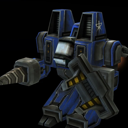 StarCraft SCV
Sounds from the peon and sc_scv packs (openpeon.com).
The problem I was having
I kept running into the same thing: I would give a coding agent inside VS Code a big instruction, expect it to work for a few minutes, and in the mean time I would move my attention to another window. Then I would come back later and find it had stalled thirty seconds in, waiting on input.
At some point I just told the agent: "ping me if you need me." But, it had no way to do that just yet. So I went looking for a tool to allow my coding agent to "ping me"m, I found peon-ping, and the 90s gaming sound packs I recognized made me love it instantly. Now when I tell an agent to turn on alerts, it actually can.
How I have it wired up
I use it with the two agent harnesses I work in most, Claude Code and GitHub Copilot CLI, both through their hook systems. The binary comes in through my dotfiles as a Homebrew tap, so a fresh laptop gets it automatically.
On top of that I built a small custom layer in my agents config repo:
- One
alert-meskill instead of juggling separate commands, so any agent triggers it the same way. - A gate in front of every hook event, so only sessions that opted in make noise and every other agent stays silent. Subagent events are dropped entirely.
- A CLI path (
alert.sh done -m "..."), which is handy when I want the agent to ping me halfway through a plan, not only when the whole turn ends.
It sends both an audio clip and a desktop notification.
The overlay banner shows the repo name and which harness it is, like .agents - Claude Code, so parallel agents stay distinguishable.
Personalizing each agent
peon-ping ships 165+ sound packs pulled from games like Warcraft III, Red Alert 2, StarCraft II, and Counter-Strike. I decided I wanted my agents to feel a little distinct, so I set the pack per project and per session. My default is the StarCraft SCV, and I rotate through a handful that all point at other things I like: Jarvis from Iron Man, GLaDOS from Portal, the Red Alert 2 SCV and Tanya, and the Warcraft III Peon.
There is an MCP server too, but I steer away from MCP in general because it is too token-hungry for my taste, so the per-session voice switching is something I wired up myself instead.
It is still quite a new project, but I expect I will be spreading the love on this one the same way I do with clipboard history.